Christian Konstantinov
VNDecorrelate



A Velvet-Noise Decorrelator for audio.
Decorrelation refers to the process of transforming an audio source signal into multiple output signals with different waveforms from each other, but with the same sound as the source signal [1].
In music production, decorrelation is typically applied to the left and right audio channels, creating the perception of stereo width and space. This, however, may come at the cost of potential coloration or transient smearing artifacts.
Velvet-Noise Decorrelation (VND) attempts to minimize these artifacts as well as computation cost while reducing the correlation of the outputs as much as possible [2].
Velvet Noise
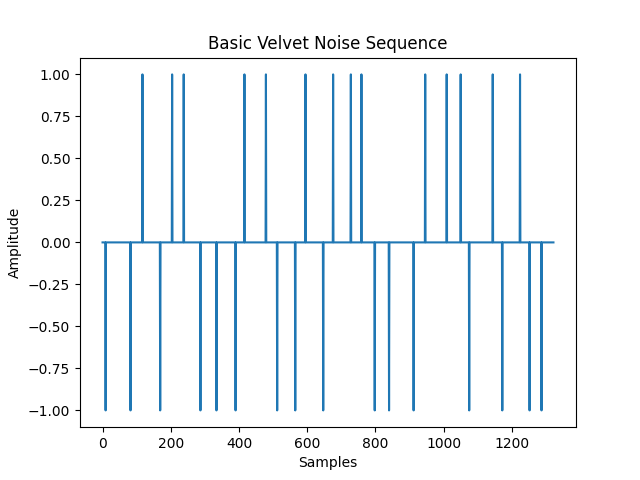
Velvet Noise is a sparse noise sequence generated from randomly time-shifted impulses with a random value of either -1 or 1 [2]:
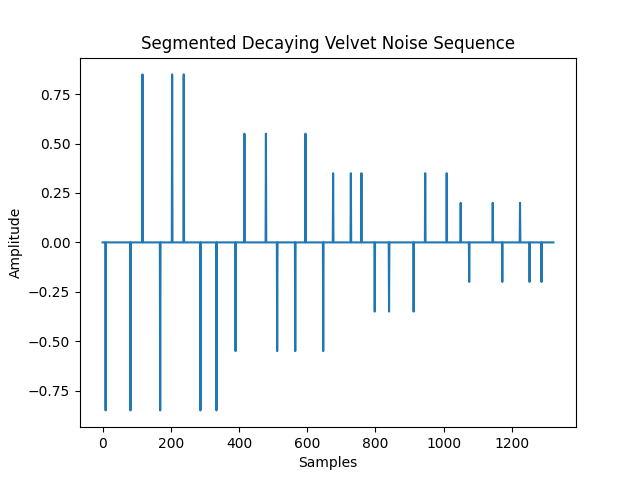
To reduce transient smearing and frequency coloration you can apply a segmented decay envelope [2]:
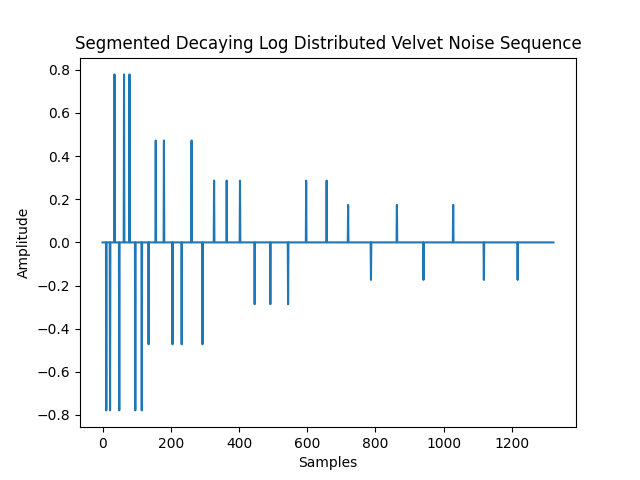
As well as logarithmically distribute the impulses towards the start of the sequence [2]:
Quick Start
First install the package into your environment:
pip install vndecorrelate
Then load an audio file.
import scipy.io.wavfile as wavfile
from vndecorrelate.decorrelation import *

fs, input_signal = wavfile.read("audio/viola.wav")
Then you can simply use the VelvetNoise class:
velvet_noise = VelvetNoise(
    sample_rate_hz=fs,
    duration_seconds=0.03,
    num_impulses=30,
)
output_signal = velvet_noise.decorrelate(input_signal)
Or:
# manually generate the velvet noise as numpy NDArrays
velvet_noise = generate_velvet_noise(
    duration_seconds=0.03,
    num_impulses=30,
)
# numerically equivalent to VelvetNoise.convolve
output_signal = convolve_velvet_noise(input_signal, velvet_noise)
Or you can create a chain of signal processors:
chain = (
    SignalChain(sample_rate_hz=fs)
    .velvet_noise(
        duration_seconds=0.03,
        num_impulses=30,
        log_distribution_strength=1.0,
        seed=1,
    )
    .haas_effect(
        delay_time_seconds=0.02,
        delayed_channel=1, # Right Channel
        mode='LR',
    )
)
# SignalChain is lazy, so instatiation of its signal processors happens here
output_signal = chain(input_signal)
To listen back to the processed audio, simply save to a wav file locally.
wavfile.write('audio/viola_out.wav', fs, output_signal)
Optimization
optimization.py contains functions for optimizing VelvetNoise or HaasEffect for maximizing stereo seperation while maintaining polar sample symmetry and mono compatiblilty.
optimize_velvet_noise optimizes the concentration of impulses towards the start of the filter referred to as log_distribution_strength:

optimize_haas_delay optimizes the delay_time_seconds parameter:

symmetry_aware_objective takes the input signal and converts it to polar samples to compute the scalar objective function defined by:

where

is the input scalar to optimize, each

is a moment of the polar sample distribution:

is the weighted angular variance

is the weighted mean (centroid)

is the skewness,

is the correlation between the input left and right channels,

is the angle constraint threshold, and each

is a penalty weight.
Visualization
Vectorscopes
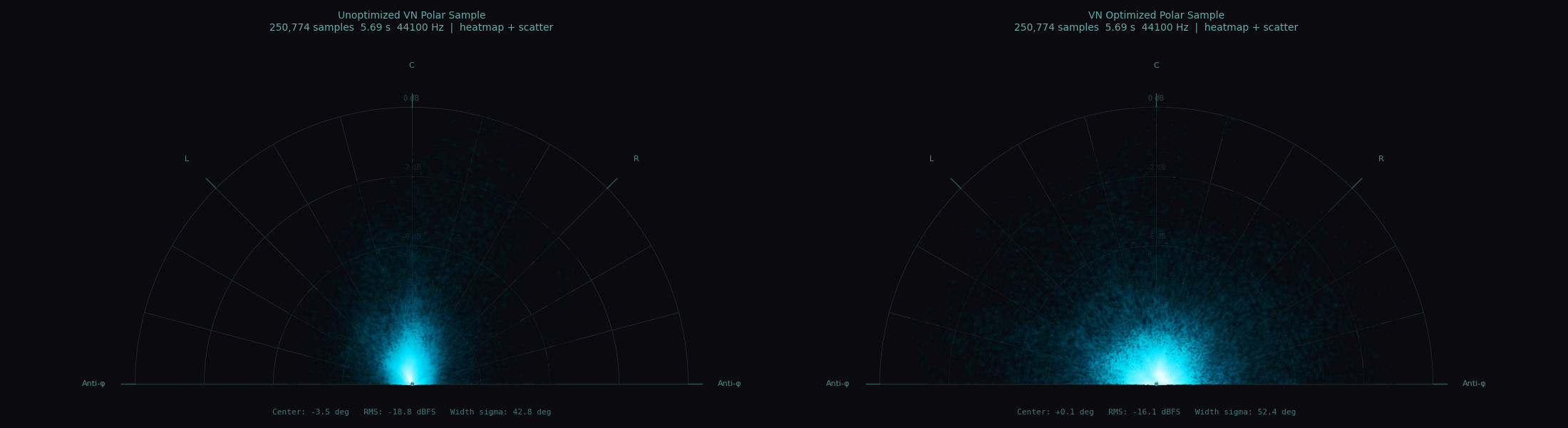
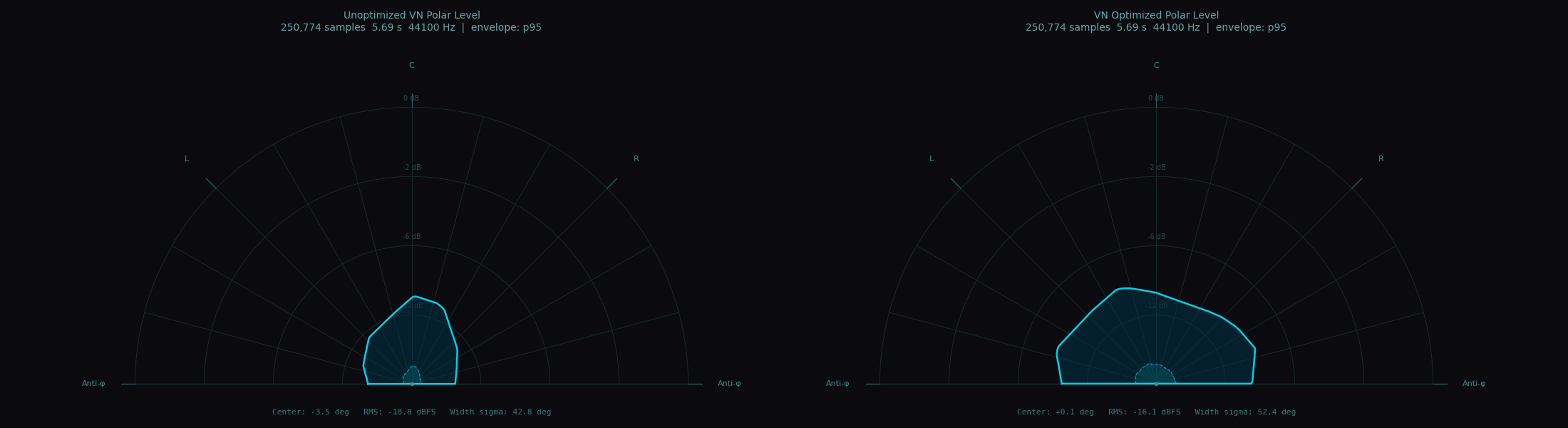
Sample runs of VelvetNoise.decorrelate with unoptimized and optimized filters can be compared by their polar sample plots generated from plot_polar_sample:
plot_polar_level:
or plot_lissajous:
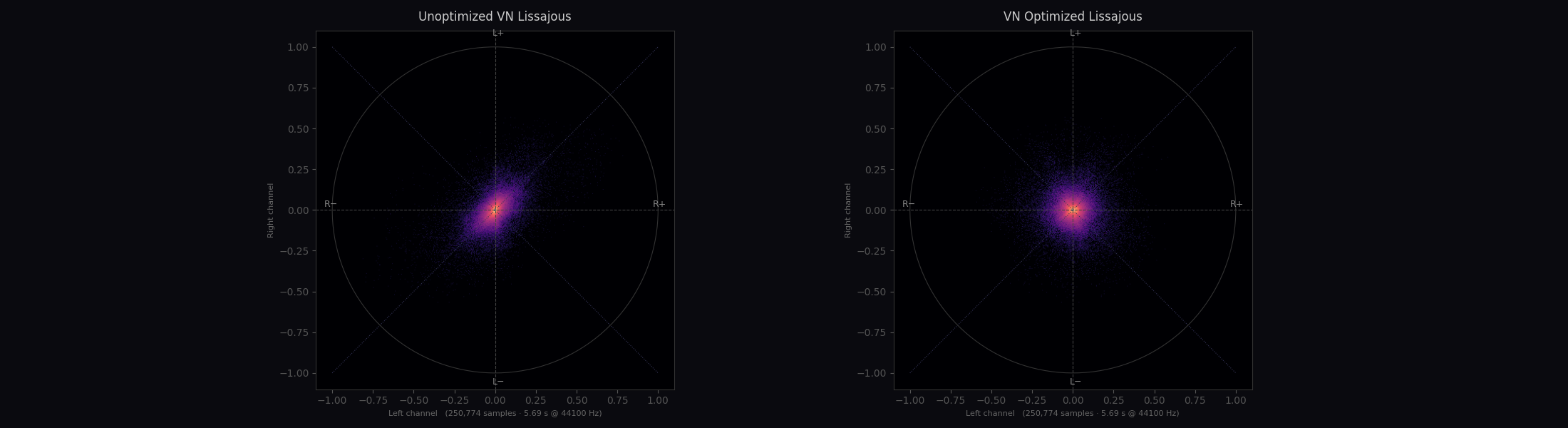
These vectorscope functions loosely follow the design of Izotope’s Ozone Imager [3], an industry standard stereo imager plugin for Digital Audio Workstations.
Correlograms
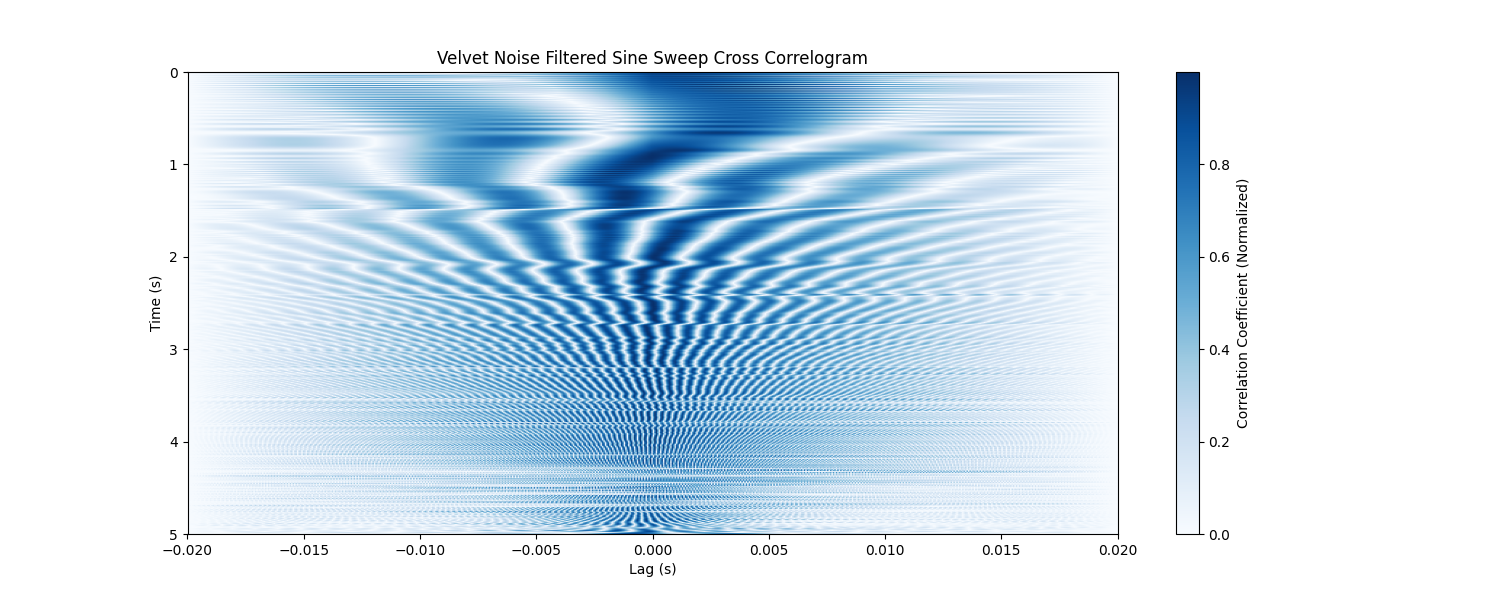
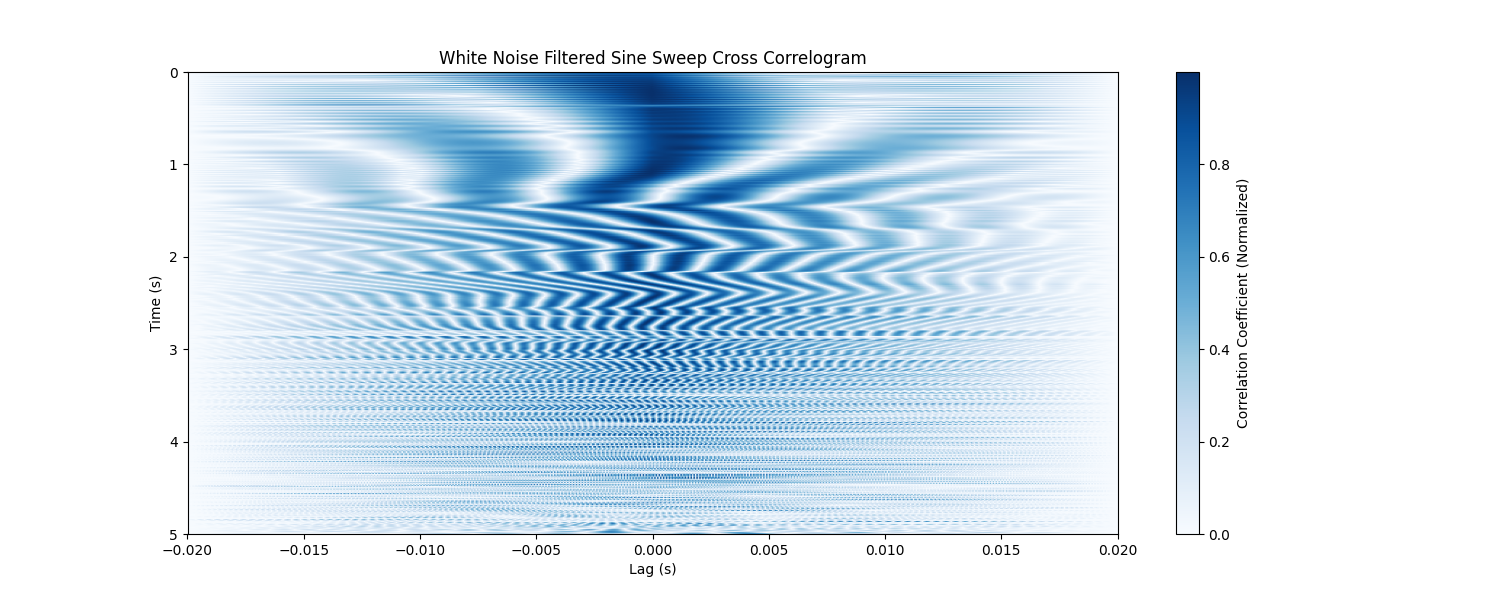
To provide further visualization of the effects decorrelation plot_correlogram is provided. Short windows of typically ~20ms are taken from two signals to calculate normalized cross-correlation values at various lag distances. sine_sweep can be used to generate a test signal that can be compared before and after applying a velvet noise decorrelation.
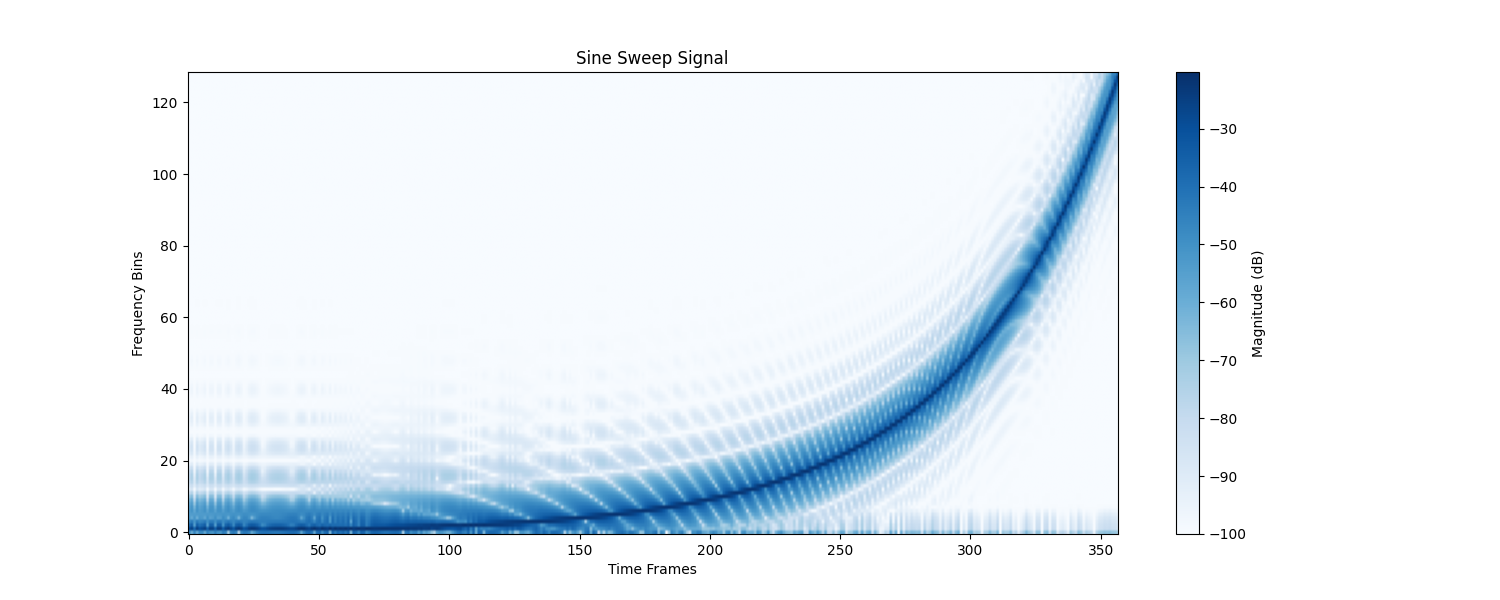 We can use the auto correlogram as a baseline:
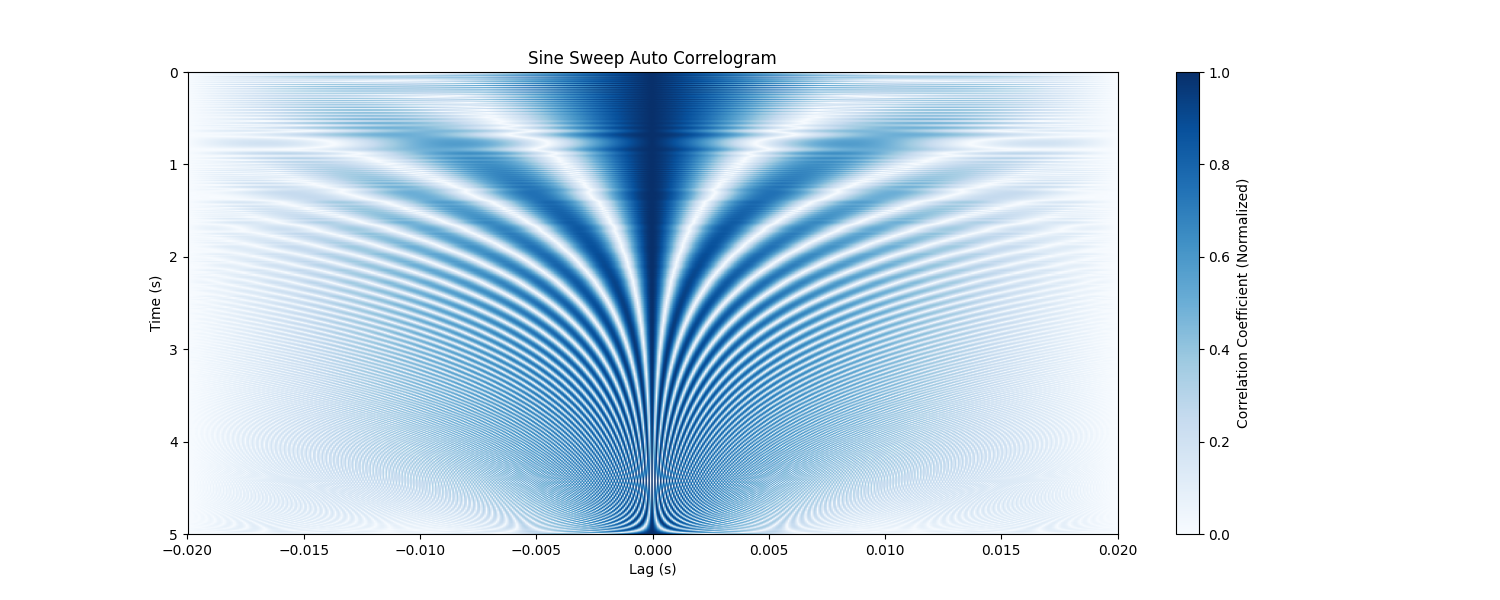 Plot the cross correlogram after filtering each channel with velvet noise:
 And compare to the behavior of filtering with white noise:
References
[1] Sweetwater, “Decorrelation,” InSync, Dec. 17, 2004. https://www.sweetwater.com/insync/decorrelation/ (accessed May 15, 2026).
[2] B. Alary, A. Politis, and V. Välimäki, “VELVET-NOISE DECORRELATOR,” Proceedings of the 20th International Conference on Digital Audio Effects (DAFx-17), Edinburgh, UK, Sep. 2017. Accessed: May 15, 2026. [Online]. Available: http://www.dafx17.eca.ed.ac.uk/papers/DAFx17_paper_96.pdf
[3] “Ozone 8 Help Documentation,” Izotope.com, 2017. https://downloads.izotope.com/docs/ozone8/imager/index.html#vectorscope (accessed Jun. 15, 2026).<h2>Audio Examples</h2>
Original mono signal
Drums
Guitar
Vocal
Viola
Decorrelated stereo signal
Drums
Guitar
Vocal
Viola